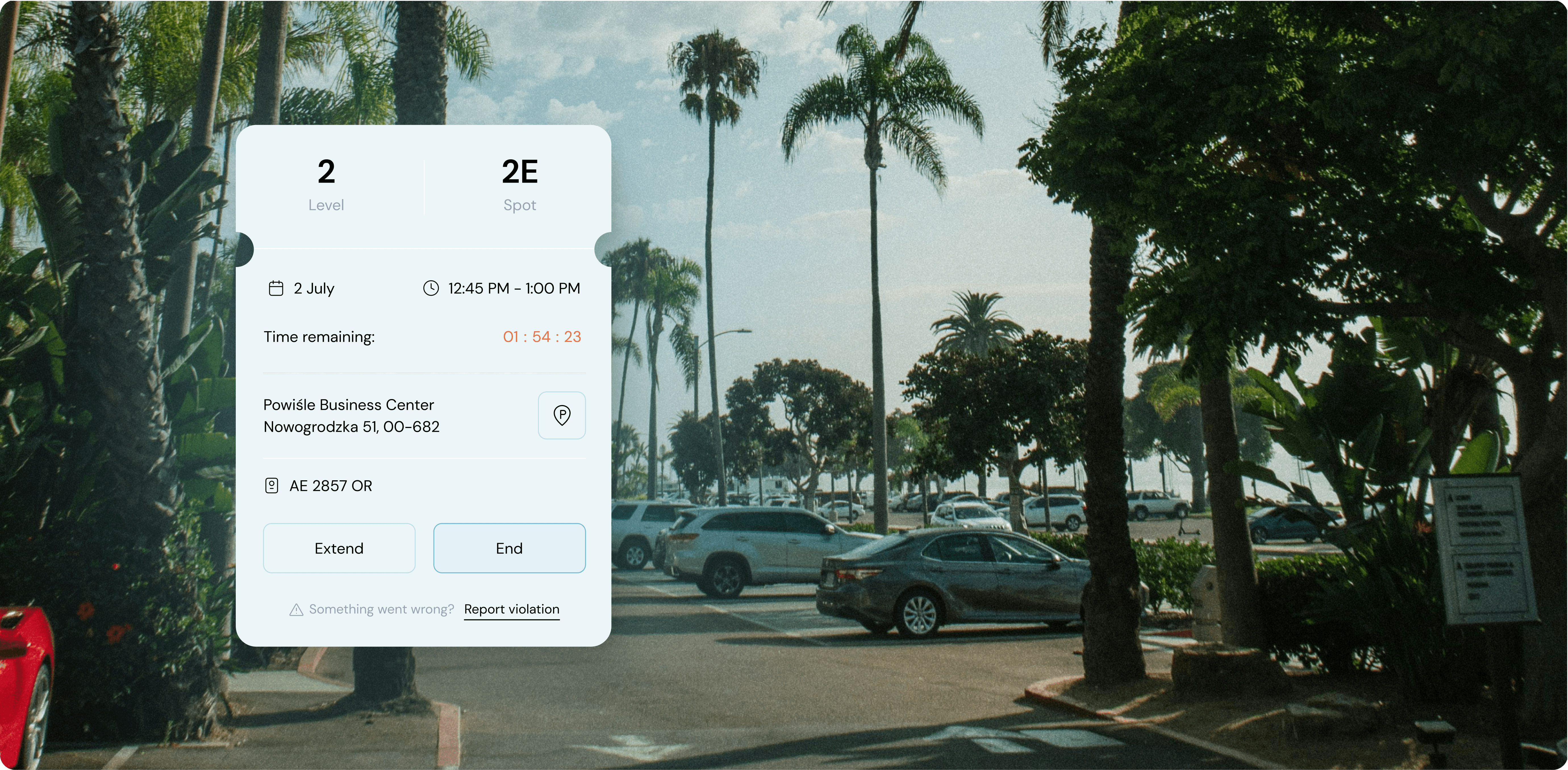
A parking interface displayed on a smartphone screen over a background of a sunny palm tree-lined parking lot. The interface shows details for a parking session on Level 2, Spot 2E, with a remaining time countdown of 1 hour 54 minutes and 23 seconds. The parking location is listed as Powiśle Business Center, Nowogrodzka 51, 00-682, with a car license plate AE 2857 OR. There are buttons to "Extend" or "End" the session, and an option to "Report violation" if something goes wrong.
Minimalist favicon featuring a black letter 'P' centered on a white square background.

Parkiza

Parkiza

Building a dual-sided parking app that works for admins and employees alike.

What we did

Branding
UX/UI Design
Product Management

Year completed

2022

Parkiza helps office buildings manage parking — employees book spots through a mobile app, admins control allocation and rules from a dashboard. We came in to design the full product from scratch: mobile booking flow, admin panel, and a landing page that could explain the system without overcomplicating it.

We built the interface around clarity and speed. The mobile app needed to work for everyone — from 25-year-old designers to 60-year-old warehouse managers — so we kept interactions obvious and used color strategically to guide attention without overwhelming. The admin dashboard focuses on automation: set rules once, let the system handle recurring bookings, and surface insights on lot usage so facilities teams can actually optimize space. We created a component library that keeps the experience consistent across mobile and web while cutting down handoff time with developers.

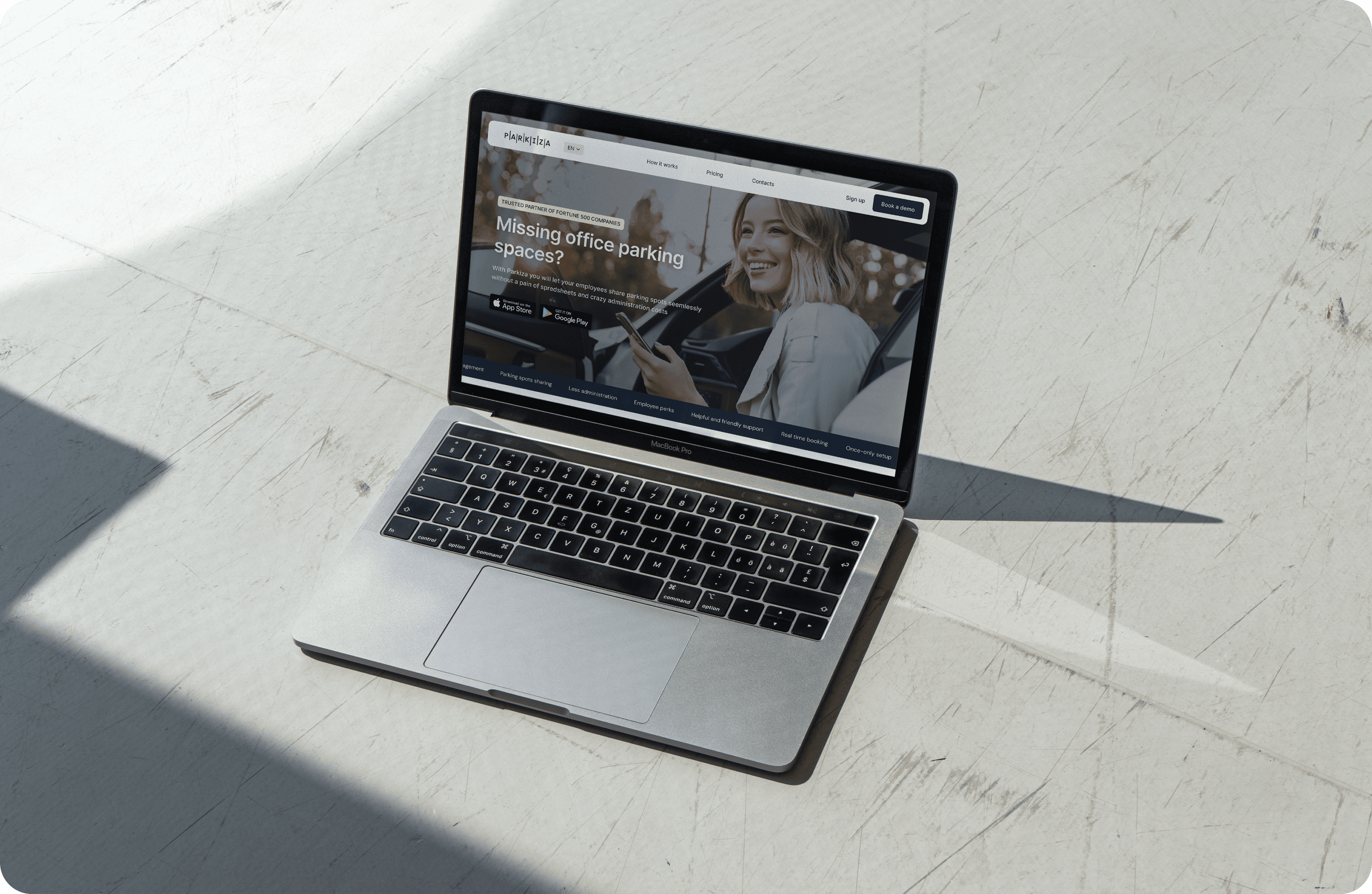
The landing page mirrors the product's simplicity — clean cards, direct messaging, no hype. It explains what Parkiza does in seconds, which matters when you're pitching facility managers who don't have time for fluff.

The result: a parking system that feels effortless to use and actually reduces admin work instead of adding to it.
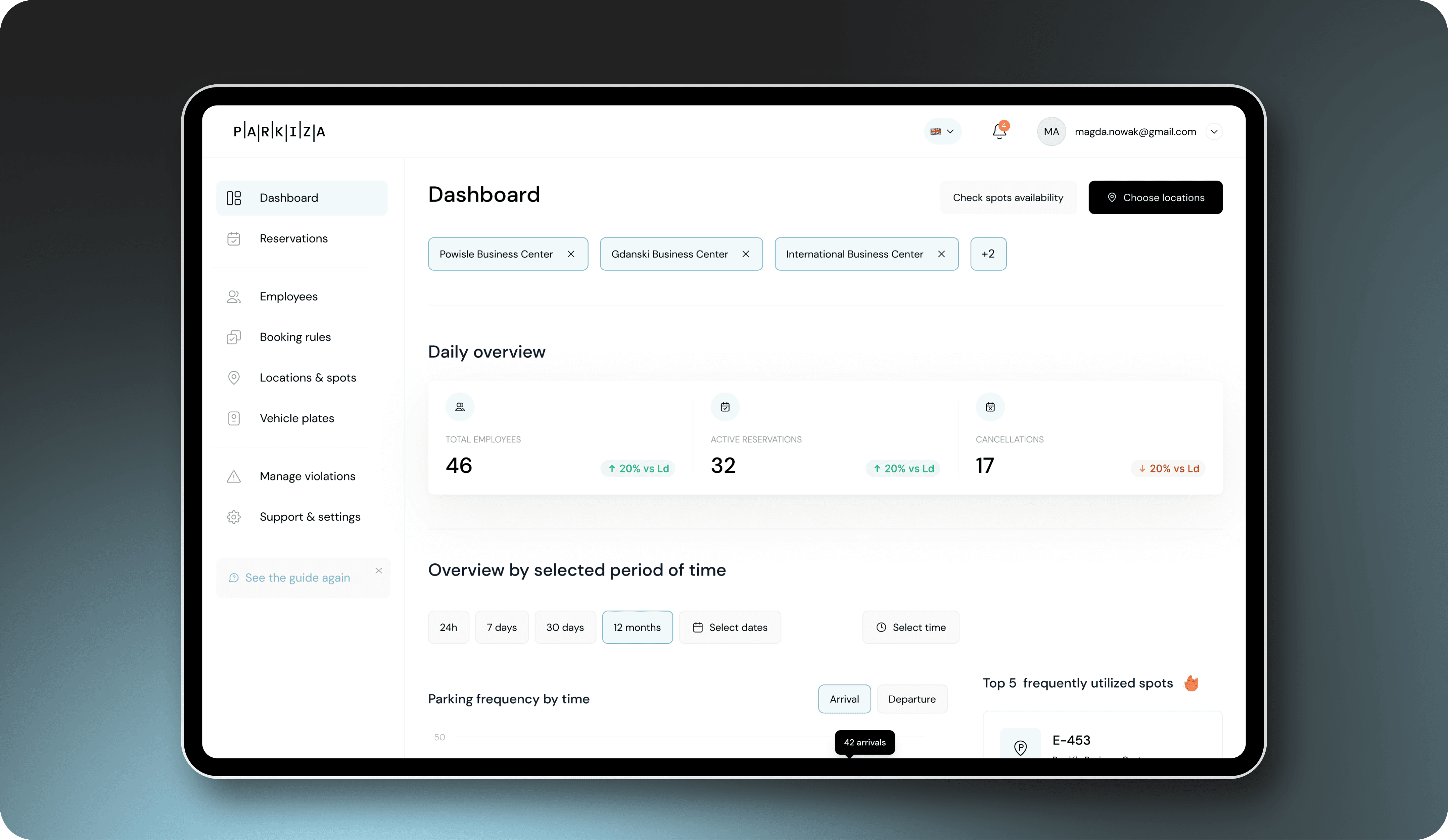
Tablet displaying the 'Dashboard' section of the Parkiza app. The screen shows:  A top navigation bar with user profile (magda.nowak@gmail.com), notifications, and language settings. A main panel with a 'Daily overview' of parking activity: Total Employees (46), Active Reservations (32), and Cancellations (17). A section for 'Overview by selected period of time' with options for 24h, 7 days, 30 days, 12 months, Select dates, and Select time. A 'Parking frequency by time' chart for arrivals and departures. A 'Top 5 frequently utilized spots' list. A left sidebar menu with options for Dashboard, Reservations, Employees, Booking rules, Locations & spots, Vehicle plates, Manage violations, and Support & settings.
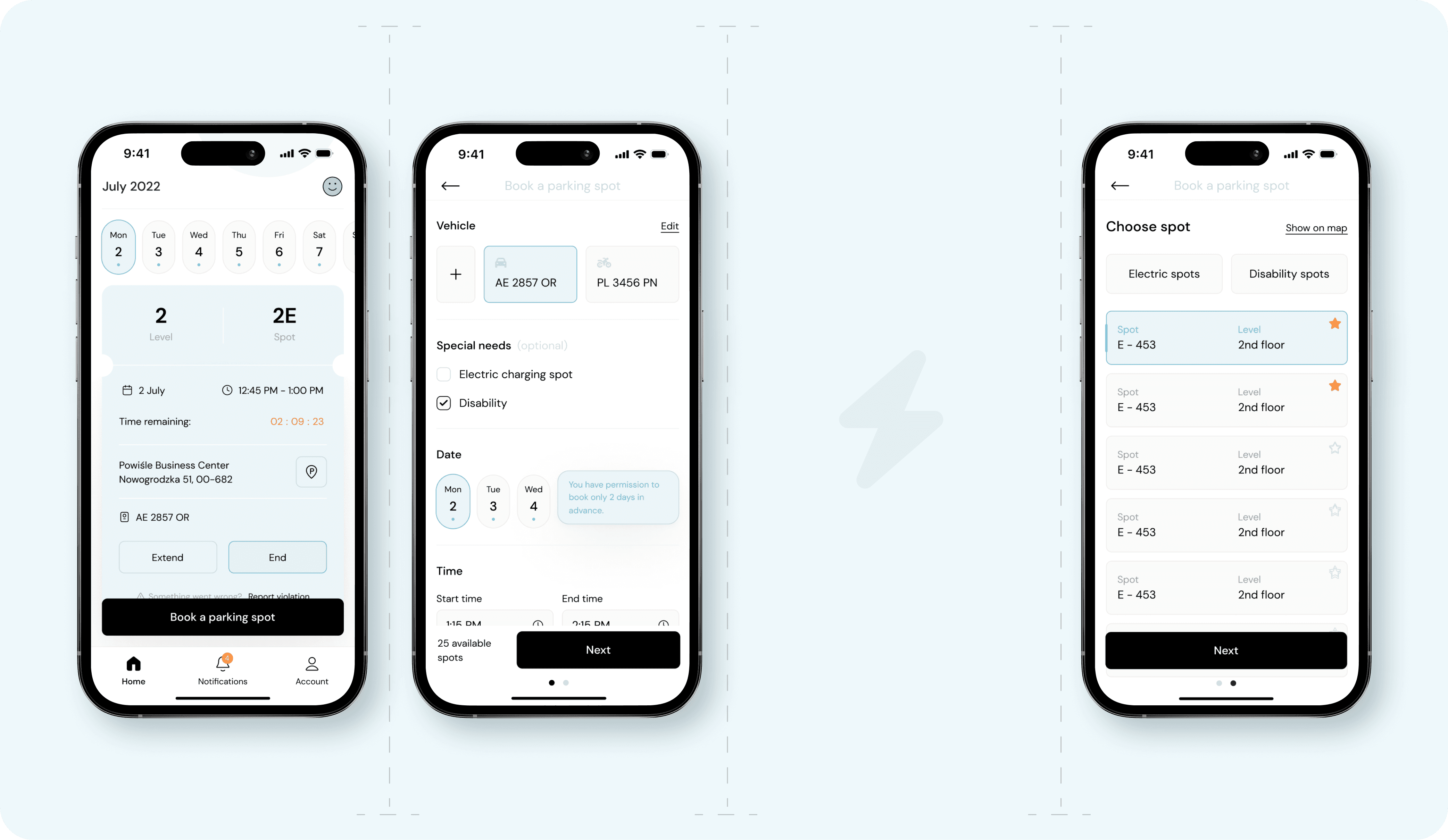
Three iPhone screens displaying the interface of a parking app. The first screen shows a booking confirmation for a parking spot on July 2, 2022, at level 2, spot 2E with a countdown timer. The second screen allows users to book a parking spot by selecting a vehicle, special needs, and date and time. The third screen presents options for choosing a specific parking spot, with tabs for electric and disability spots and a list of available spots on the 2nd floor.
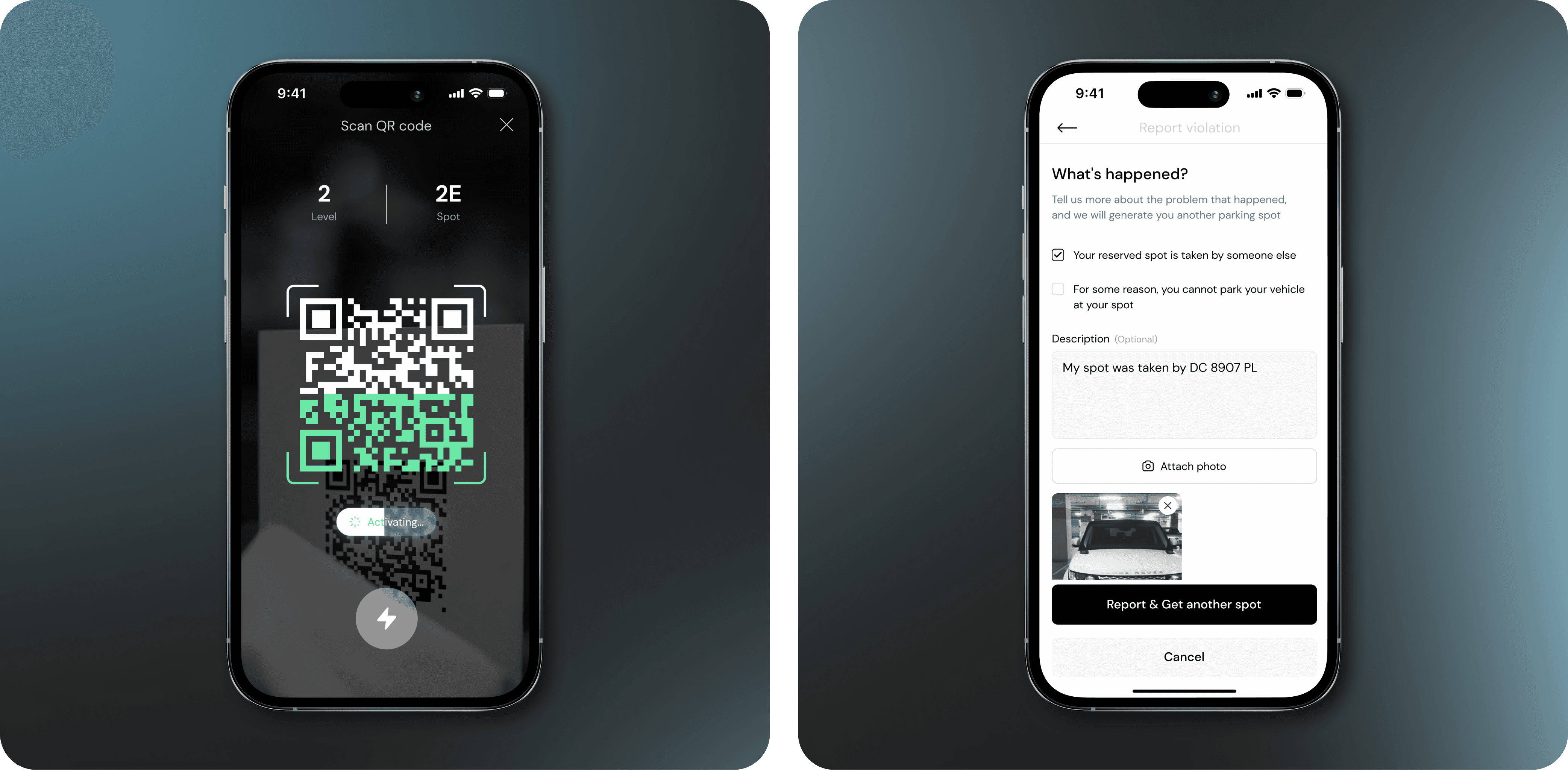
iPhone screen displaying a parking app interface where a QR code is being scanned. The screen shows the level (2) and spot (2E) information at the top, with a QR code in the center being processed. The app indicates that the activation is in progress with a loading animation below the QR code / iPhone screen displaying a parking app interface where a user is reporting a parking violation. The screen has a header titled 'What's happened?' with options to describe the issue. The user has selected 'Your reserved spot is taken by someone else' and provided a description: 'My spot was taken by DC 8907 PL'. A photo of the offending vehicle is attached below. At the bottom, there are buttons labeled 'Report & Get another spot' and 'Cancel'.
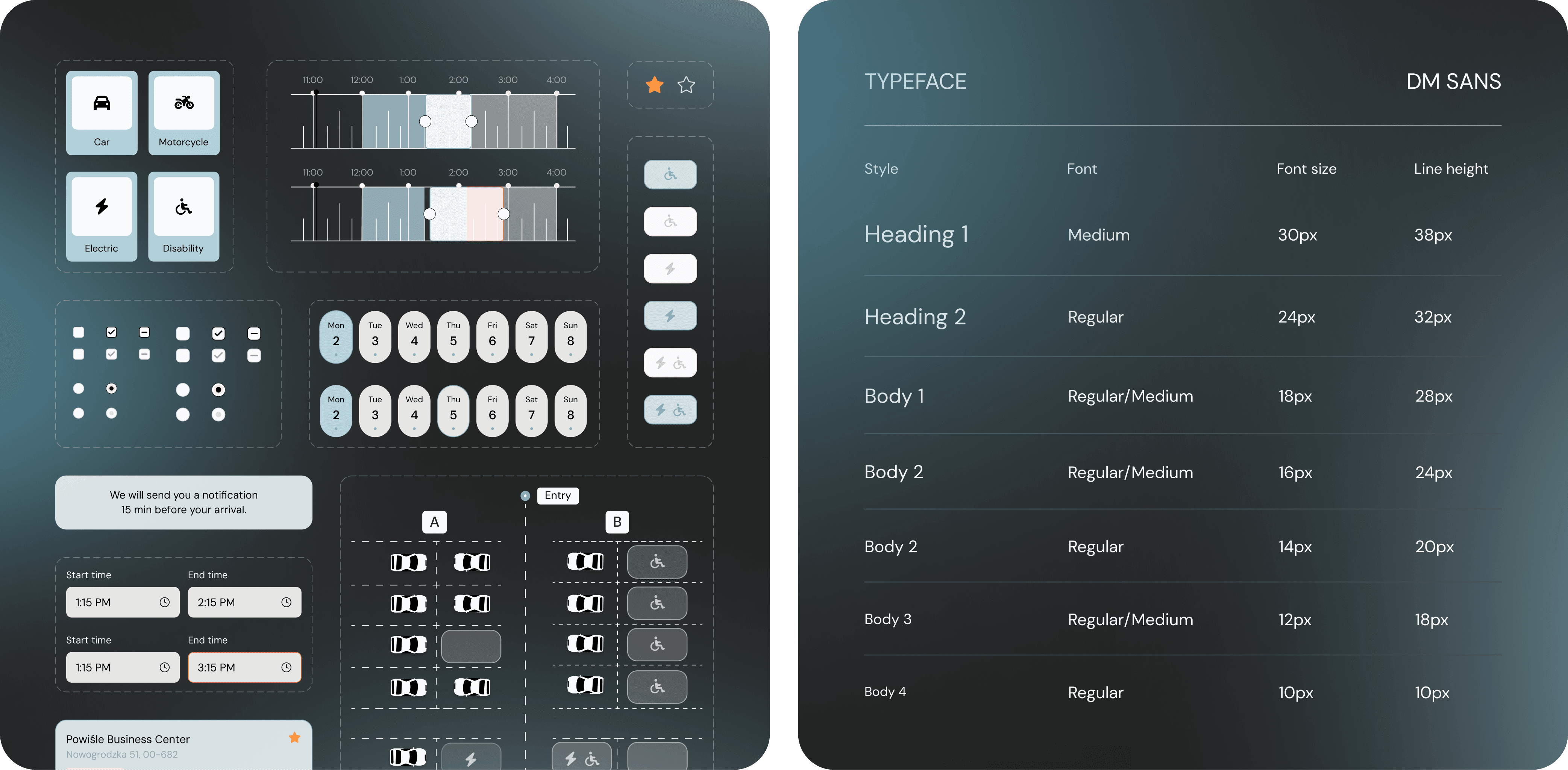
An interface design mockup of a parking app displaying various elements and options. At the top left, there are icons for selecting the type of vehicle: car, motorcycle, electric, and disability. To the right, there are timeline sliders for setting time slots, and below them are date selectors for choosing the days of the week. Various toggle buttons and radio buttons for different settings are shown. The bottom section includes a notification message, start and end time selectors, and a map layout with parking spots and icons indicating special spots like disability and electric charging. The app also indicates the location as Powisle Business Center. /
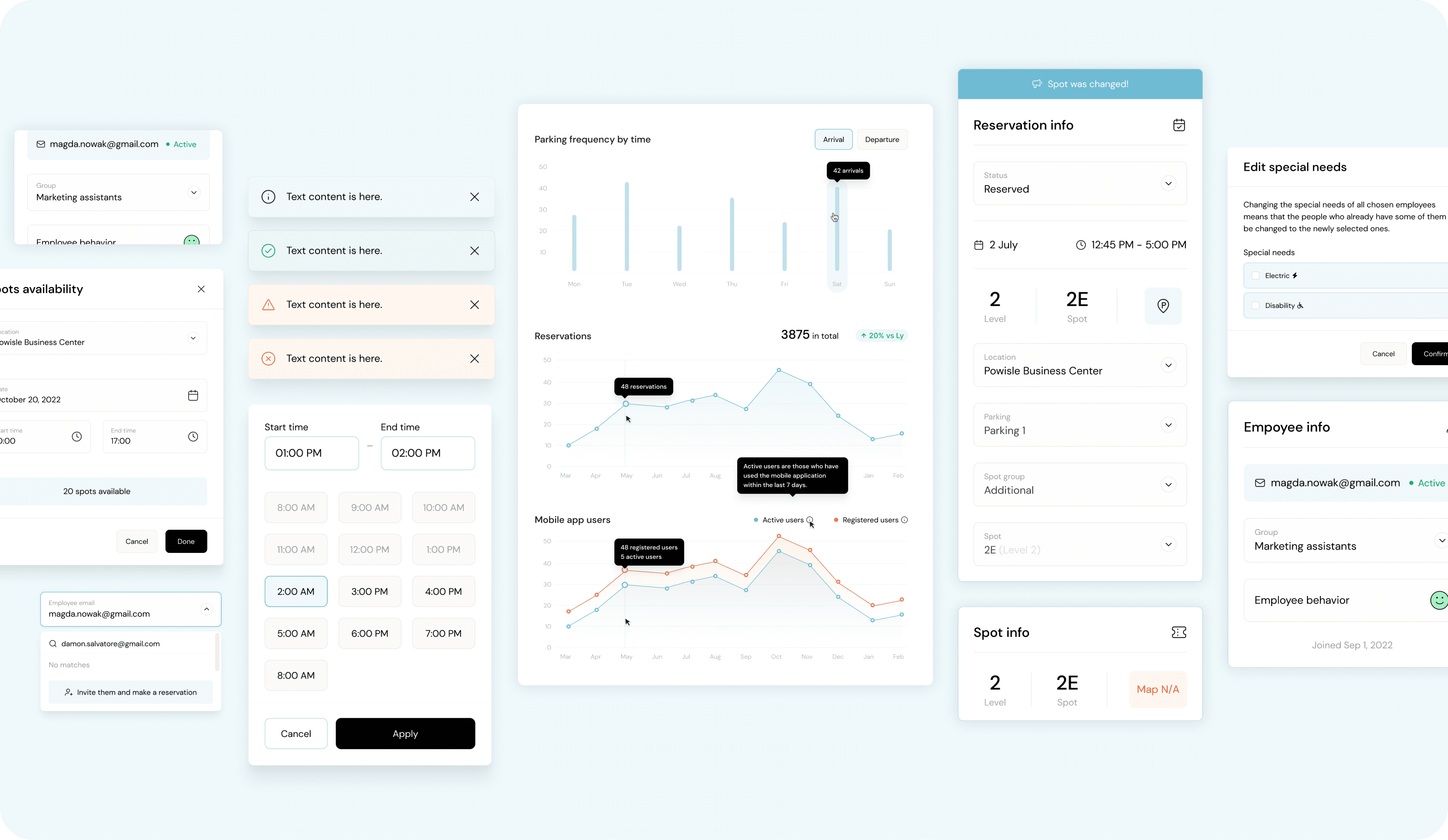
A dashboard displaying various interface elements and data visualizations related to parking management. The dashboard includes:  A user profile section with the email magda.nowak@gmail.com and the group 'Marketing assistants'. Notifications with different colored backgrounds for informational, success, warning, and error messages. A section for checking parking spot availability with options to select dates and times. A line graph showing 'Parking frequency by time' and 'Reservations', indicating the number of reservations and active users over time. A bar chart displaying 'Mobile app users' with a comparison between active users and registered users. A reservation info panel showing details for a reserved spot on July 2nd from 12:45 PM to 1:00 PM at Powisle Business Center, level 2, spot 2E. A section for editing special needs with options for electric and disability parking spots. A time selection panel to choose start and end times. An employee info panel with the user email magda.nowak@gmail.com, group 'Marketing assistants', and the 'Employee behavior' status. A section for inviting employees to make a reservation by entering their email address.
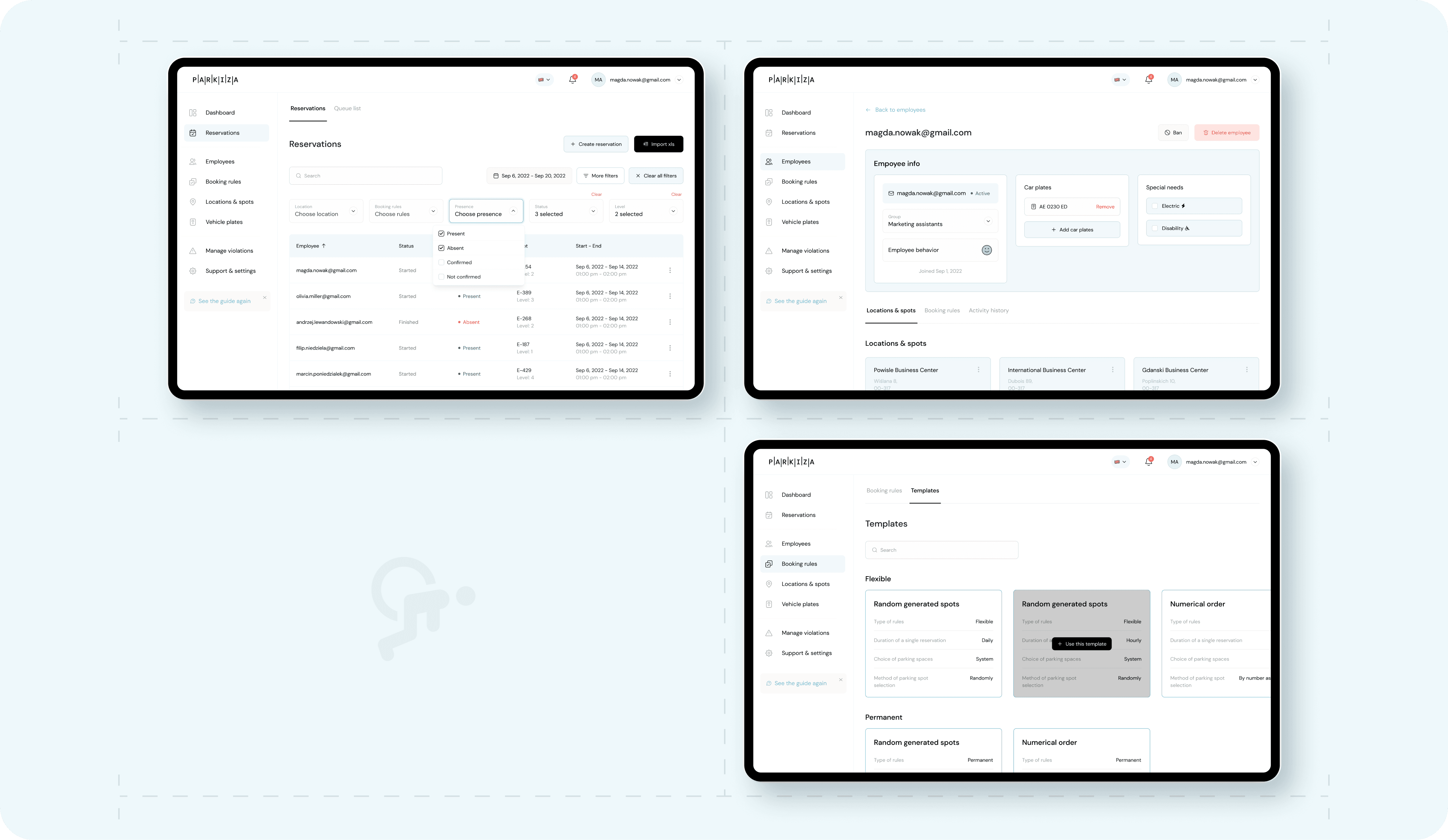
Three tablet screens displaying different interfaces related to parking management in the Parkiza app.  The first screen shows the 'Reservations' section with a list of reservations including details such as location, employee names, booking status, and presence status (e.g., Present, Absent, Confirmed). There are options to create new reservations and filter by location, booking rules, and presence status.  The second screen displays the 'Employee info' section for an employee with the email magda.nowak@gmail.com. It includes information such as the employee's name, group (Marketing assistants), car plates, and special needs (Electric, Disability). There are options to add or remove car plates and special needs.  The third screen shows the 'Templates' section under 'Booking rules', where different templates for parking spot reservations can be created. The templates include options for flexible and permanent random generated spots, as well as numerical order based on different rules such as duration, choice of parking spaces, and method of spot selection.
A MacBook Pro laptop on a white marble surface displaying the Parkiza website. The website shows a banner with a smiling woman using her phone and text that reads: 'Missing office parking spaces? Parkiza helps you and your employees share, track and manage parking spaces seamlessly from your phone or desktop.' There are buttons for downloading the app from the App Store and Google Play. The top navigation bar includes options for 'How it works,' 'Pricing,' 'Resources,' 'About,' 'Contacts,' and a 'Sign up' button. There is also a 'Book a demo' button on the right side of the banner.

With thanks to Iza Marciszak, Emil Kamiński, and the incredible Parkiza team for all their collaboration across the working process. Huge thanks to Darina Khomenko and Yasemin Ibrahimagaoglu — each day you shine brighter and impress us more and more with your design skills! We still cannot believe how lucky our team is to have you here!

Subscribe to RDT Newsletter

So rare, it’s not yet in existence.

You could be the first to read... well, something, eventually.

© 2026 Rasa Design Team

All rights reserved

Subscribe to RDT Newsletter

So rare, it’s not yet in existence.

You could be the first to read... well, something, eventually.

© 2026 Rasa Design Team

All rights reserved

Subscribe to RDT Newsletter

So rare, it’s not yet in existence.

You could be the first to read... well, something, eventually.

© 2026 Rasa Design Team

All rights reserved